Notes · React Native · Civic tech · Prototype
A civic-report app that's four screens in, and what's still missing.
Sajag is a prototype for reporting civic problems with a photo and a location. These are the notes from reading its code: what it does, the six gaps that stop it running end to end, and the order I'd close them in.
The idea
Evidence and a place, so a report can be acted on.
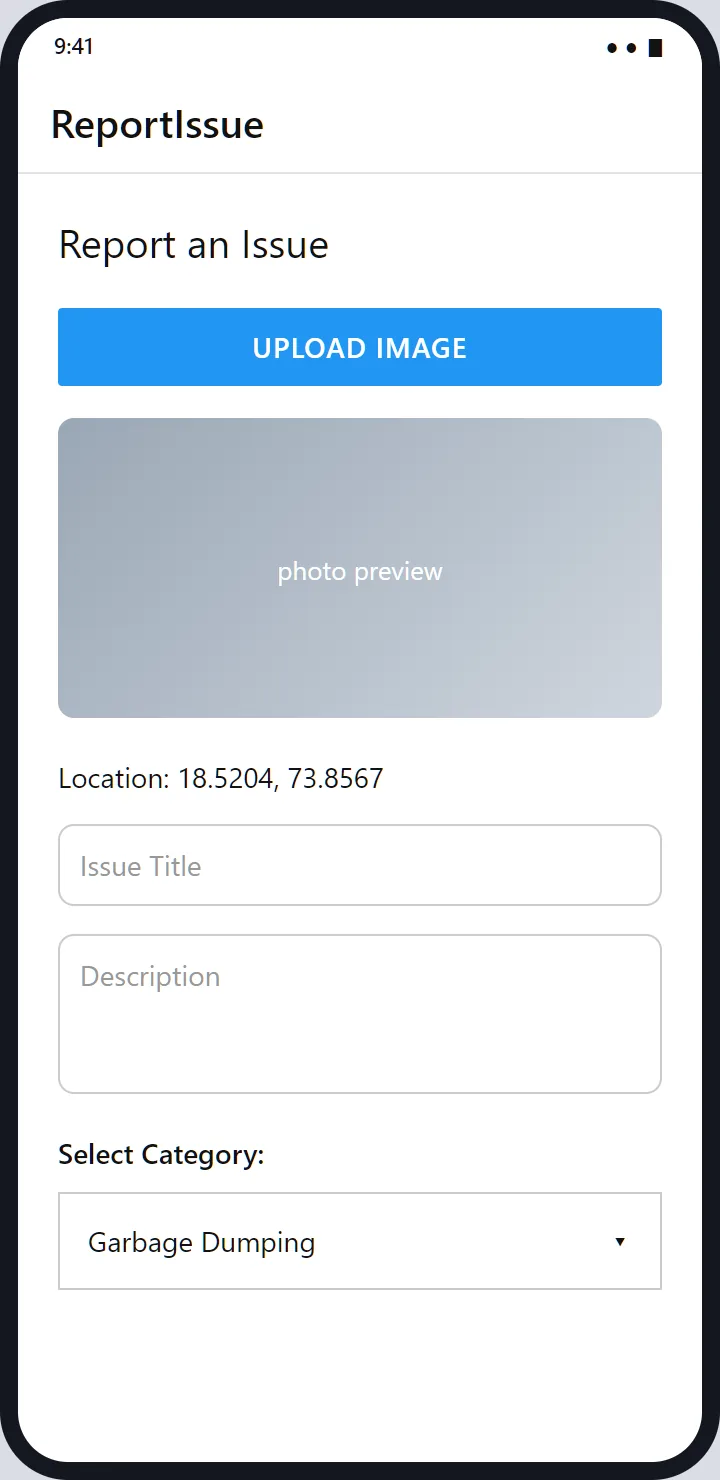
A civic report is only useful if someone can find the problem and see it. So the report form asks for exactly those: a photo, the coordinates the phone reports, a short title, a description and a category from a fixed list of five. The place picker adds a state and city so a report can be routed to the right authority.
It's a small idea, and the code for it is small: about 380 lines across four screens, an API helper and a navigator.
Phone number and a code
A login with no password to forget.
The first two screens are the whole sign-in. The phone screen checks that the number has ten digits before it calls the server, and the next screen sends the number and a six-digit code to a verify endpoint. On success the server's token is saved on the phone, and a small request helper adds it to every later call.
The choice is sensible for the people the app is for: no password, no email, and a number they already have. The cost is that reports are tied to a phone number, so this version is not anonymous.
What reading the code back found
Six things between this prototype and a working app.
I read all four screens for this page and found six gaps, listed here because they are the real to-do list. First, the app's entry point still shows React Native's starter screen, so the navigator isn't used. Second, the report screen calls a hook it never imports and would crash when it opens. Third, the state picker takes its picker component from React Native itself, which no longer includes one. Fourth, after the code is verified the app goes to a "Home" screen that isn't defined.
Fifth, there's no submit: the form collects everything but has no button and no request that sends it. Sixth, the place isn't carried through: the chosen state and city are passed to the report screen, which never reads them. None of these is hard, and together they mean the prototype doesn't yet run end to end.
Why the screens are renderings
I couldn't run it, so I drew what the code says.
The Android toolchain isn't installed on my computer at the moment, and the code wouldn't run as it is anyway. So the pictures on these pages are renderings drawn from the source: the labels, fields, colours and flow come from the code, and the data is invented. The app uses React Native's plain default styling, so the screens are intentionally simple.
The architecture
What's actually in the project.
- App
React Native 0.79with React 19 and React Navigation's native stack: Login, OTP, location and report screens.- Device
react-native-image-pickerfor the camera and gallery,react-native-geolocation-servicefor coordinates, and Android permissions for location, camera and storage.- Network
axioswith a base URL placeholder and a request hook that adds the saved token.- Data
- Three states and nine cities in a constant, and five issue categories in the form.
- Server
- None in the project. The app expects endpoints for sending and verifying a code.
- Verification
- No tests beyond the project's default one.
What would make it real
The order I'd do it in.
Make the navigator the app's entry point and fix the two crashes. Build the small server: send and verify a code, accept a report with a photo, and return a status. Add the submit button and carry the place through. Only then think about the parts that make a civic app useful, such as a status for each report and a view for the people who act on them.
Want a civic or community reporting app built end to end?
Get in touch